
Login protection & 2FA
Progressive lockouts, custom login URL, TOTP, email codes, recovery codes and role-based enforcement. Login rate limiting also protects standard WooCommerce My Account login forms.
Read documentation →Hard Guard Security is a free WordPress security plugin with malware scanning, vulnerability detection, 2FA, brute-force login protection, audit logging and WordPress hardening — without subscriptions, license keys, developer telemetry or paid feature unlocks.
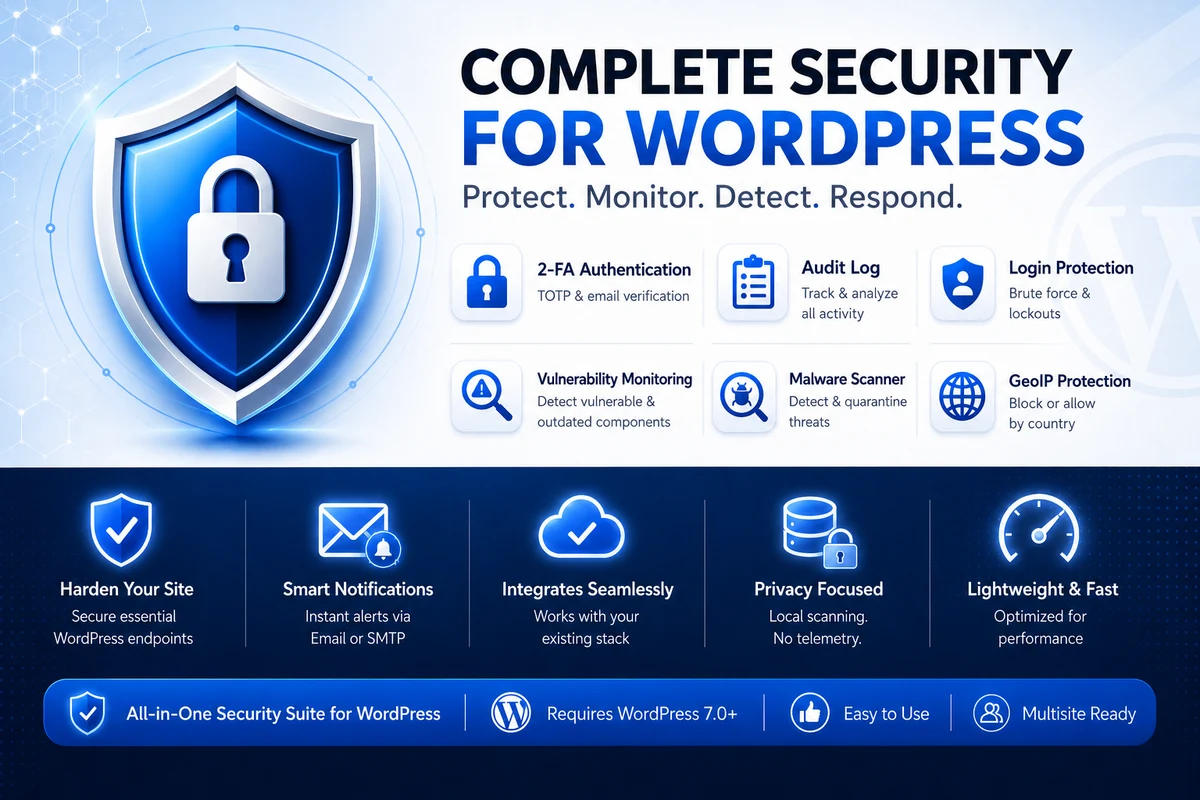
Use only the modules your site needs. Each area is designed around clear controls, actionable events and documented recovery procedures.
Progressive lockouts, custom login URL, TOTP, email codes, recovery codes and role-based enforcement. Login rate limiting also protects standard WooCommerce My Account login forms.
Read documentation →Track security events, review active WordPress sessions and watch current visitors on demand without keeping a permanent traffic history.
Read documentation →Run local file, database, integrity, permissions, vulnerability and suspicious server-rule checks. Review evidence before moving files into protected quarantine.
Read documentation →Apply country allowlists or blocklists using country.is, with caching, safe failure and recovery exceptions.
Read documentation →Control creation and use, log credential events and associate the last resolved IP with a credential.
Read documentation →SSL diagnostics, security headers, server-rule integrity with Auto-Heal, uploads protection, optional RSS/Atom feed disabling, emergency bypasses and safe configuration transfer.
Read documentation →Progressive lockouts adapt to repeat failures while explicit client-IP sources, trusted-proxy validation, proxy diagnostics, recovery URLs and staged login-path changes help preserve administrator access.
File and optional database malware analysis stay on the WordPress server. Full and Automatic scans also compare installed Core, plugin and theme versions locally against a signed Hard Guard threat-intelligence database.
Audit logs, scan results, inventory matching and quarantine data remain on the WordPress server. Active Sessions is read only when opened, and Live Traffic uses temporary on-demand state only while an administrator is watching. External connections, including the signed vulnerability feed, are documented and limited to the data required for each request.
Review privacy detailsSecurity features can change authentication, access rules, server directives and files. Hard Guard Security documents the high-risk steps and provides recovery mechanisms.
Create and verify a complete backup before changing access or server-level settings.
Enable only the required modules and review every warning displayed in the admin panel.
Use staging, a private browser and a separate administrator session to verify critical changes.
Review Audit Log, alerts and scan findings rather than treating security as a one-time setup.
From authentication and activity monitoring to local file scanning, country controls and recovery, Hard Guard Security brings the essential workflows into one WordPress administration experience.
External services are contacted only by configured or explicitly requested functionality.
See the privacy page for the data involved and the relevant trigger for each connection.
contact@wp-hard-guard.ma7.eu.Hard Guard does not send telemetry, usage statistics, scan results, website content or the installed software inventory to the developer. When vulnerability-database updates are enabled, it downloads a signed feed from the Hard Guard website; that request can expose normal connection metadata such as the requesting IP and time, but it does not include the site URL, installed plugin/theme names or versions, scan results, file paths or file contents.
No. File scanning and optional Database Malware Scanner processing are performed on the WordPress server. Findings and quarantine files remain local.
No security product can provide that guarantee. Hard Guard Security reduces selected risks and improves visibility, but it does not replace updates, backups, secure hosting, a WAF or professional incident response.
Site-wide GeoIP access control fails open so an external lookup outage does not block the whole website. Antispam follows the unknown-country action selected by the administrator.
Yes. All included features are available without payment, a license key, a trial period or a quota. Donations are voluntary and do not unlock functionality.
Yes. It can be activated per site or network-wide and includes Multisite-aware settings, Audit Log aggregation and cleanup behavior. Review the documentation before network-wide deployment.
Download the complete free, open-source suite from GitHub. All included features are available without a license key, trial period or paid unlock.